Search engine friendly URLs for images
By default, JoomGallery does not use the real paths of the images for the image URLs, but generic ones, which only identify the images via the corresponding image ID. This has several advantages, for example it is possible to count the access to the image and to move and reorganize images as desired after their upload without having to adjust all the places where the image has already been used again.
Unfortunately, there is also a disadvantage: These image URLs are no longer suitable for SEO and do not have the correct image file extension such as '.jpg'.
One possibility to solve this problem is to activate the option 'Use actual paths' in the tab 'General settings'->'Paths and directories' of the configuration manager, but then all advantages of the generic URLs are lost. It should also be noted that this change cannot be taken into account in all places. For example, when inserting images into articles with the help of the content plugin JoomPlu, the generic URLs are still used for technical reasons.
The good news is that you can still generate good SEF URLs for images with the JoomGallery if you use the core SEF of Joomla! (the following will not work if you use another SEF extension).
1. Activated in the configuration of Joomla! the core SEF from Joomla! together with the two options 'Use URL Rewriting' and 'Add Suffix to URL'.
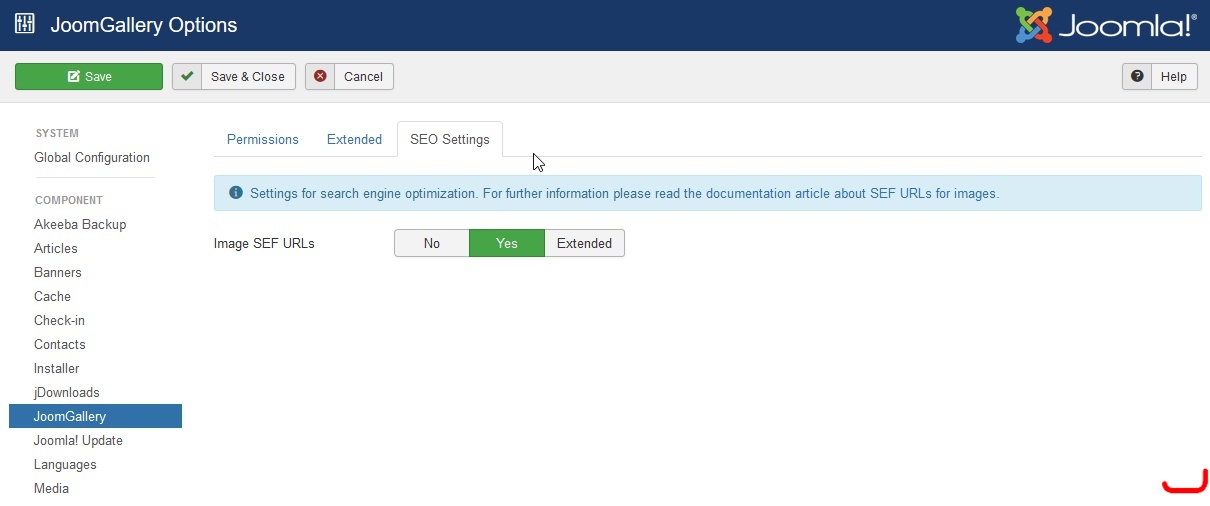
2. Go to the control center of the JoomGallery and click on the 'Options' button in the toolbar. In the 'SEO Settings' tab you can activate the Image SEF URLs.