


Here is the new feature release of JoomGallery!
Many long-awaited features made their way into the new version. Among other things the JoomGallery becomes GDPR conform with this release (IP tracking can be deactivated). The support of metadata (IPTC/EXIF) has also been extended. And much more...
We wish you a lot of fun with the new version!
Thanks to everybody who helped finding these bugs and to those who contributed code on GitHub.
Here is an overview of the most important changes in JoomGallery 3.4.0.
A full list of changes can be found in the changelog.xml.
Privacy - Storing of IP adresses
In order to comply with the current privacy policy, the storage of IP addresses can now be turned off when making reviews, placing name tags, etc.
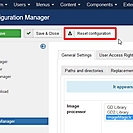
Reset the configuration settings
If you want to reset all settings of the configuration manager to the default values of a new installation, this is now possible in the configuration manager
Editor for the image description during upload
For entering the image description, the editor is now also available in the upload forms - both in the frontend and in the backend.
Extented category settings
The following settings are now individually adjustable for each category:
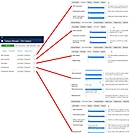
Rotate images
Now images can be rotated automatically during the upload based on the Exif orientation.This eliminates the need to rotate portrait images before uploading.You can set whether only the thumbnails and detail images or additionally the original image should be rotated.
In addition to the automatic rotation when uploading you can also rotate any images in the Images Manager.
Please note: If you use the image processor "GD2", the rotation will erase the Exif and IPTC data.
See how the various image processors affect this metadata during rotation, as shown in the following table:
| Rotation | Processor | Exif-/IPTC-Data |
| Thumbnails, Details | GD2 | |
| Thumbnails, Details, Original images | GD2 | |
| Thumbnails, Details | ImageMagick | |
| Thumbnails, Details, Original images | ImageMagick |
If available, ImageMagick should be used instead of GD2.
You can activate the automatic image rotation during the upload in the tab General Settings >> Image Manipulation of the Configuration Manager.
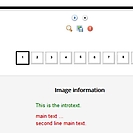
"Read more" in image description
The "read more" function known from Joomla articles can now also be used in the image description.
For the thumbnails, only the "introduction text" is displayed.
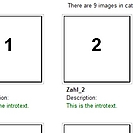
The full image description is displayed in the detail view and in the popup boxes.
Replace with meta data
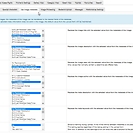
During upload, meta data (Exif/IPTC) that are saved in the image can be transferred to the data fields of the respective image.
The following fields can be automatically filled with the meta data: Title, Description, Date, Author, Meta Keywords, Meta Description.
Batch upload (zip upload)
For the upload of zip files, the Joomla security check is now disabled. This has stopped many uploads in the past.