


Introduction:
Since Joomla! version 3.7, fields (custom fields) have been part of Joomla's core extensions.
JoomGallery 4.x also offers the option of creating new fields and field groups specifically for our component.
The "fields" are configurable fields that can be used in images or categories for all kinds of information. If you use the fields correctly, you can display new and unique information.
You can find the fields and the field groups that are also installed via the administration menu on the left under the component: JoomGallery at the very bottom.
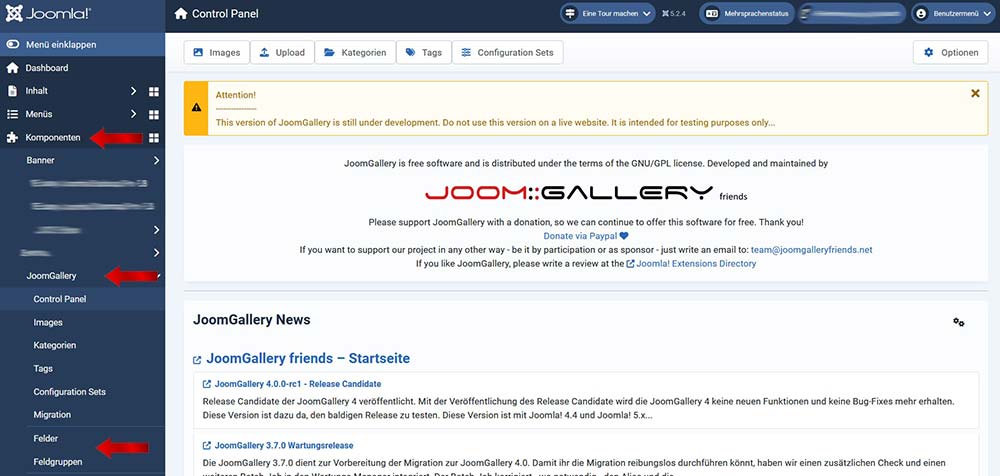
Create a field group
The first thing you should do is create a field group. For example, if you want to If you want to add certain things to your image that were created at the time the image was created, you might call the field group "Conditions." You can access this by clicking on "Field Groups" in the left-hand admin menu. Now, in the upper left-hand area, there's a button called "+ NEW," which you can click. Note that further down, a dropdown menu lets you choose whether you want to add this field group to the images or categories. You must select this before clicking on "+ New." In our case, we want to add this to the images.
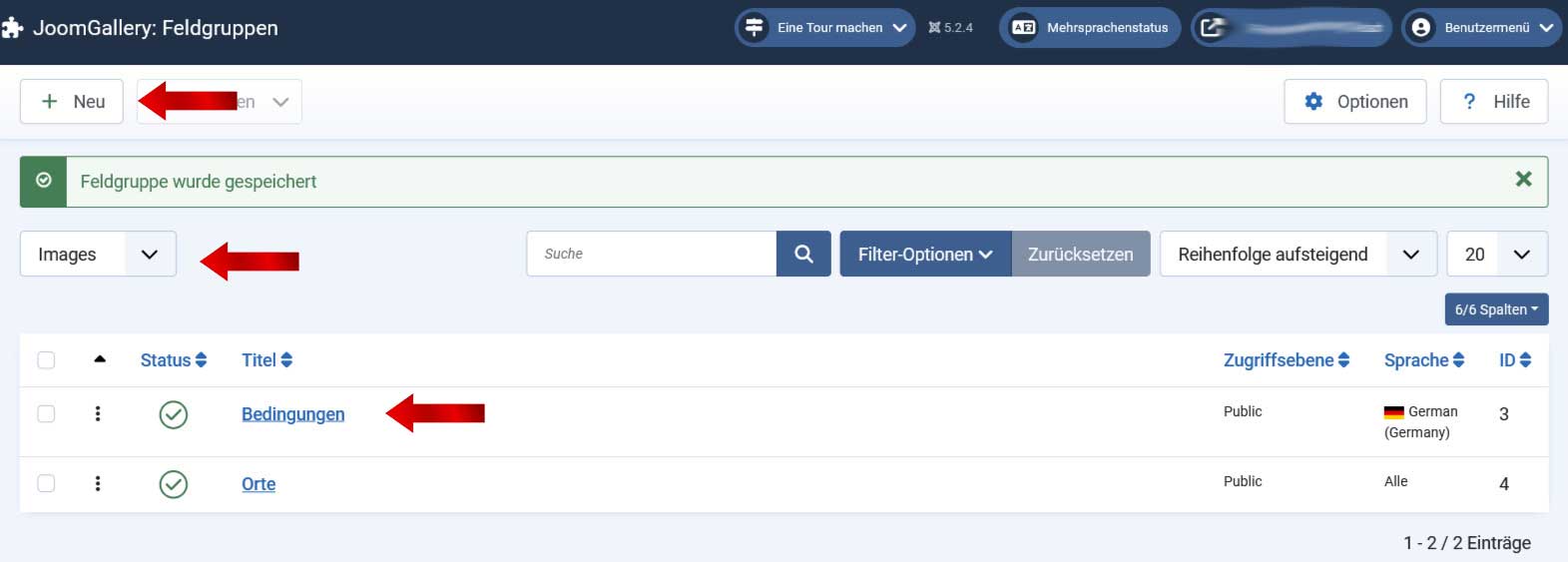
In the editing mask that opens, you only need to select one: "TITLE". In our case, we want to display conditions at the time the photo was taken. So we'll call the field group: "Conditions".
A description or the access level, among other things, can also be selected here. The other available options are self-explanatory. By clicking the "Save and Close" button, you accept this selection and have your field group.
Continue here: Create FIELDS