


The JoomGallery 4.x is the latest version of our image gallery and a standard extension for Joomla! 4, Joomla! 5 and for the upcoming Joomla 6.
(Joomla 3 or older versions are not supported)
You can find the requirements for installation in the explanation here...
To install the latest JoomGallery version, go to the DOWNLOAD section of our JoomGallery and Friends website.
Here, for example, you will find the blue "DOWNLOAD" button in the top right corner, which you can click. A new window will then open on your computer (on Windows) to save the "zip" file. Save this file to a location on your computer where you can find it again.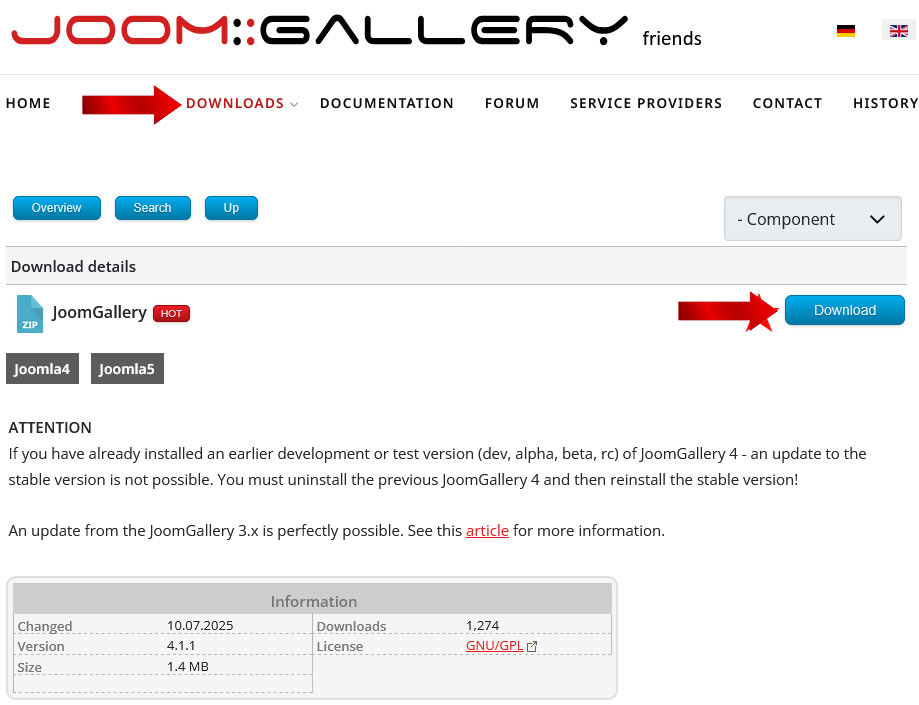
Now go to the Joomla backend on your website.[Link to your web address: /administrator ]
In the Joomla backend:
In the left menu, click on "System," which will take you to the "System Dashboard."
Under the "Install" section, you will find "Extensions." After clicking this button, you will be taken to the Joomla installation area for all extensions. 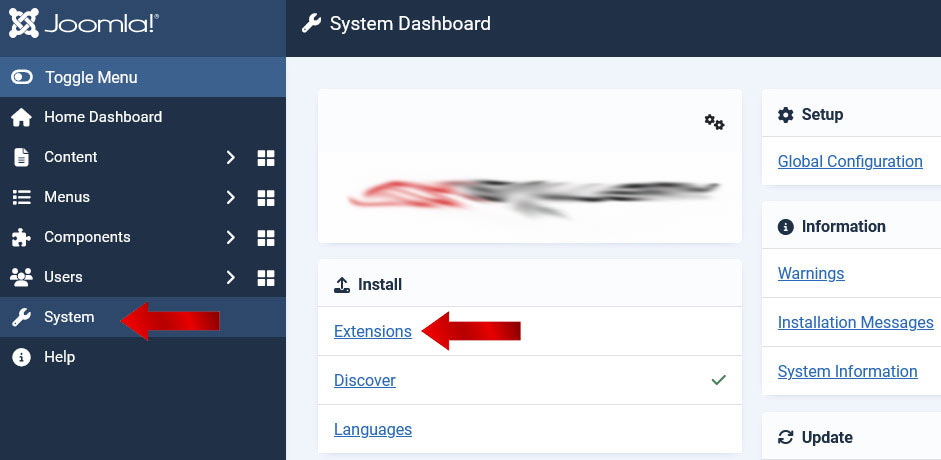
Using the "Upload Package File" tab, you can now use the green button in the middle to select the previously saved .zip file from your PC and install it immediately into your Joomla system!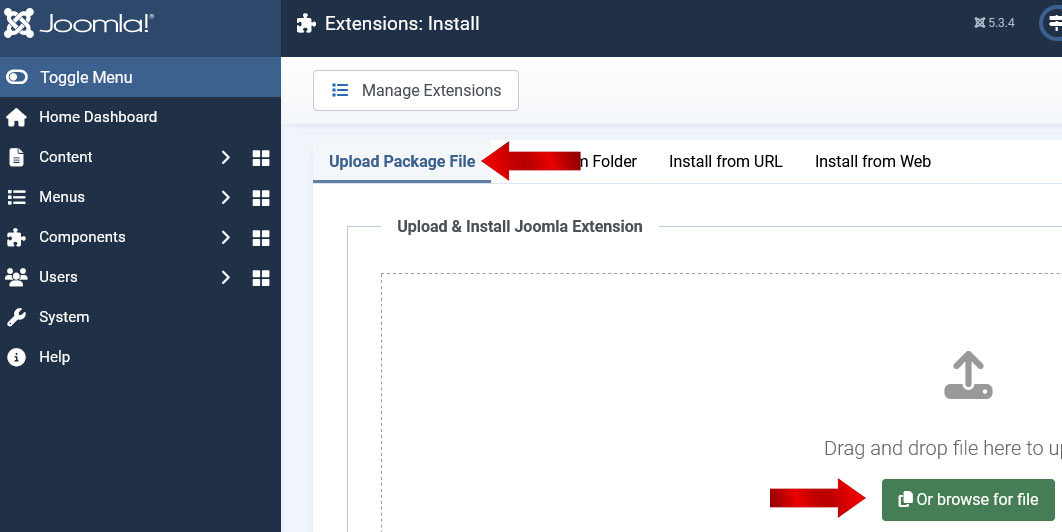
The latest Joomgallery should now be installed.
Check this in your Joomla backend by clicking on the "Components" menu. The "JoomGallery" component should now be available and selectable as a sub-item. 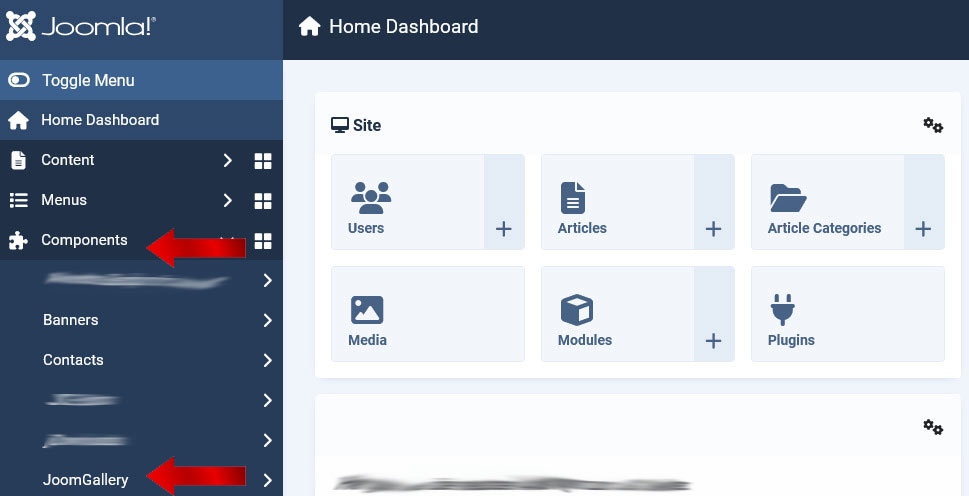
If it didn't work, check again whether your system meets the installation requirements.
For questions, suggestions, or other problems, please use our JoomGallery forum via this link here..
This explanation was written for Joomla version 5.4.x and may differ slightly in newer Joomla versions. Please write to us so we can change the documentation.