


Old: The user needs to be logged in, own a category/gallery and is assigned to a user group with certain rights (May be reactivated though)
The user needs to be logged in, and is assigned to a user group with certain rights
- Create a user group for userUploads
- Change the access see below
For each new user do following
- Create a new user and assign the group
1) Create user group "JG user upload"
Create a user group. Here 'JG_user_upload' is used as name. Specify a suitable name. Standard is "JG user upload". Assign "manager" as parent (1). It will appear parallel to administrator.
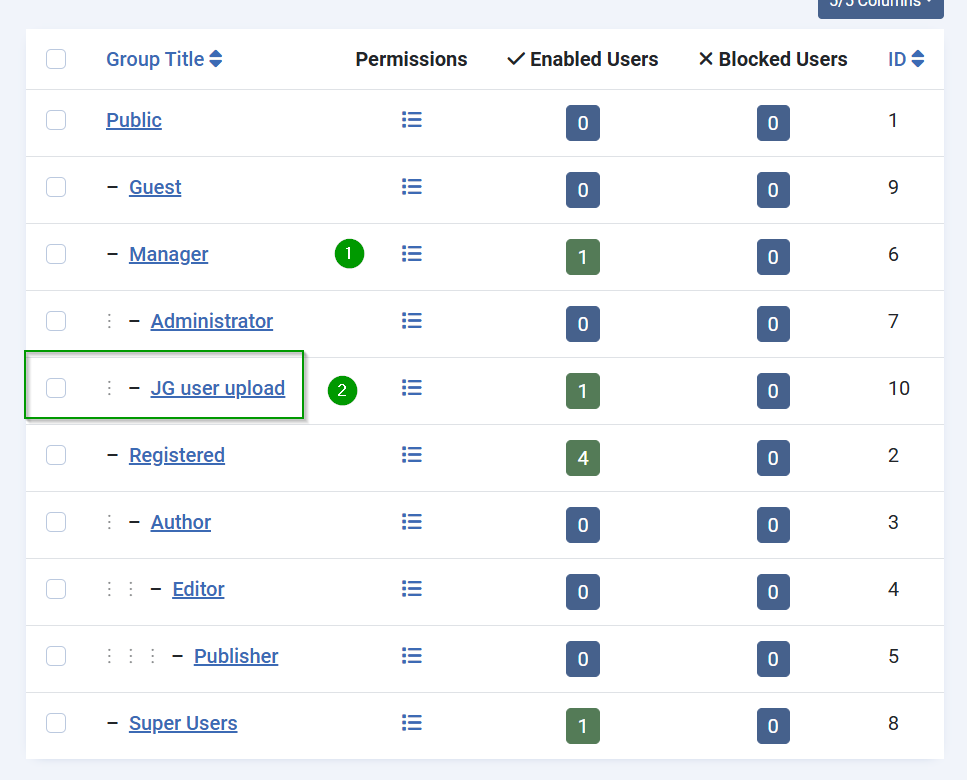
2) Set User permissions for upload (login)
2a) Find permissions in global JoomGallery configuration
Attention: Please use the global and not local configuration.
Path in Backend: System -> Global configuration -> JoomGallery. Here use tab "Permissions"
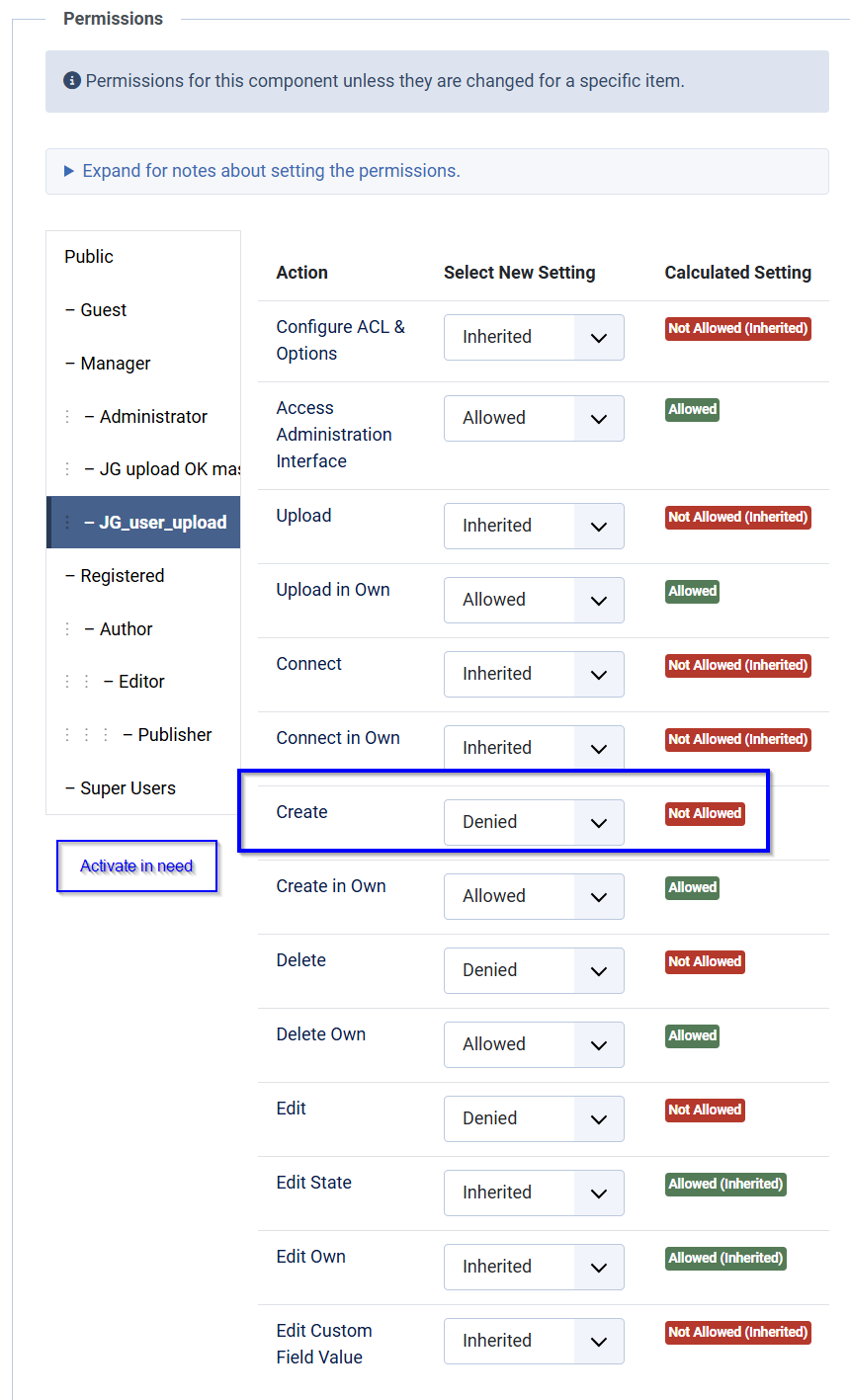
Assign properties in red/green like in the picture above
This may change in the future as Access in backend may be fixed/improved
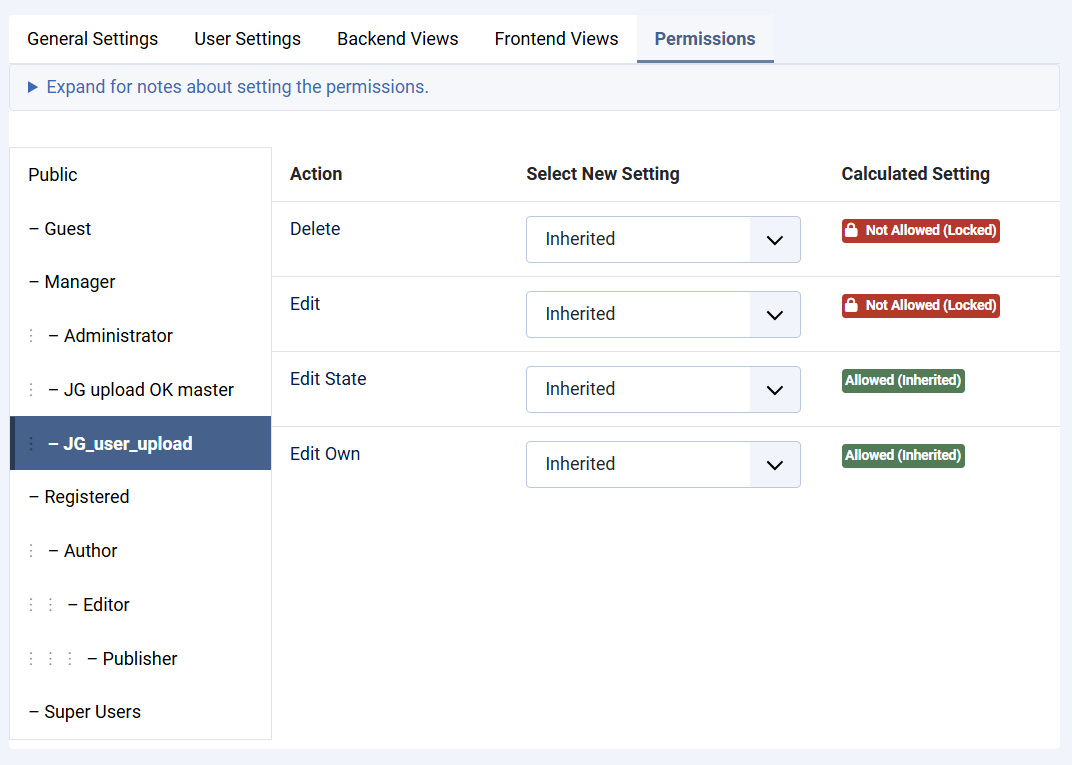
2b) Assign local permissions for specified group name
Path in Backend: Joom gallery control panel -> "Configuration sets" button -> link Global configuration -> Tab "permissions" -> JoomGallery -> button "Permissions" -> link"
It shall look like below. In fure not all green settings should be needed
3a) Create new user and assign new group
For each next user create a Joomla user and assign the above group. Use your specified group name or 'JG User Upload'.
3b)
May be reactivated ~~1) Create the category ~~ ~~2) Assign it to the user: Edit the category -> Tab "Publishing" -> property owner -> click