


User Categories Page
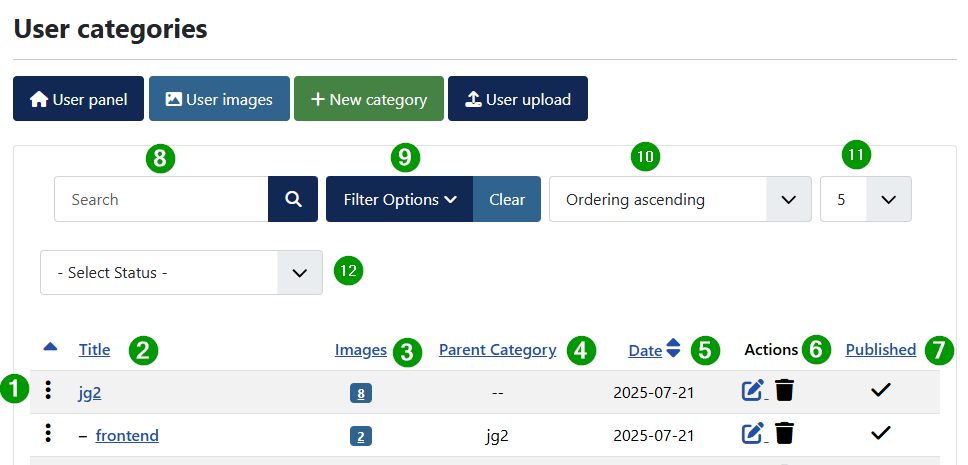
(1) Three vertical points
Click on points enable the ordering which may be hidden when usinf filtering (2) Title of category
Click on title to edit the category
(3) Images
Click on images to view filtered images of this category
(4) Parent Category
(5) Date created
(6) Actions
Edit or delete category
(7) Published
Publish or unpubish the category
Following filter for the categories are shown. The handling is as can be expected like in other joomla filtering.
(8) Search
(9) Filter Options
(10) Ordering categories in view
(11) Count of shown categories
Can be canged for mor or less items to be shown. First value is defined in joomla configuration list count. (12) Select Status
Forward links

The button name indicates where the link on the button leads