What can you do to narrow down a problem? - The checklist
If you have a problem with the JG 4, this checklist should help you to find out the cause of the problem.
Before you ask a question in the forum, you can work through a few important points yourself. This way, delays due to necessary follow-up questions can be kept to a minimum.
To avoid having to ask for the same information over and over again, which is time-consuming, we have summarized the most important points here as a checklist.
Remember: the more detailed the information, the faster and more targeted help can be provided. Screenshots or links to the page often help wonders.
1. Program versions used
The two most important pieces of information are the Joomla!/JoomGallery version used. This information is almost always required. (JG 4 only works with Joomla 4 and higher and should always be used with the latest Joomla version if possible)
- Joomla! version, e.g. 5.2.3
- JoomGallery version, e.g. 4.0.0
Please enter the three-digitcomplete version number. Information such as 'current/last' is not very helpful here.
2. Important system information
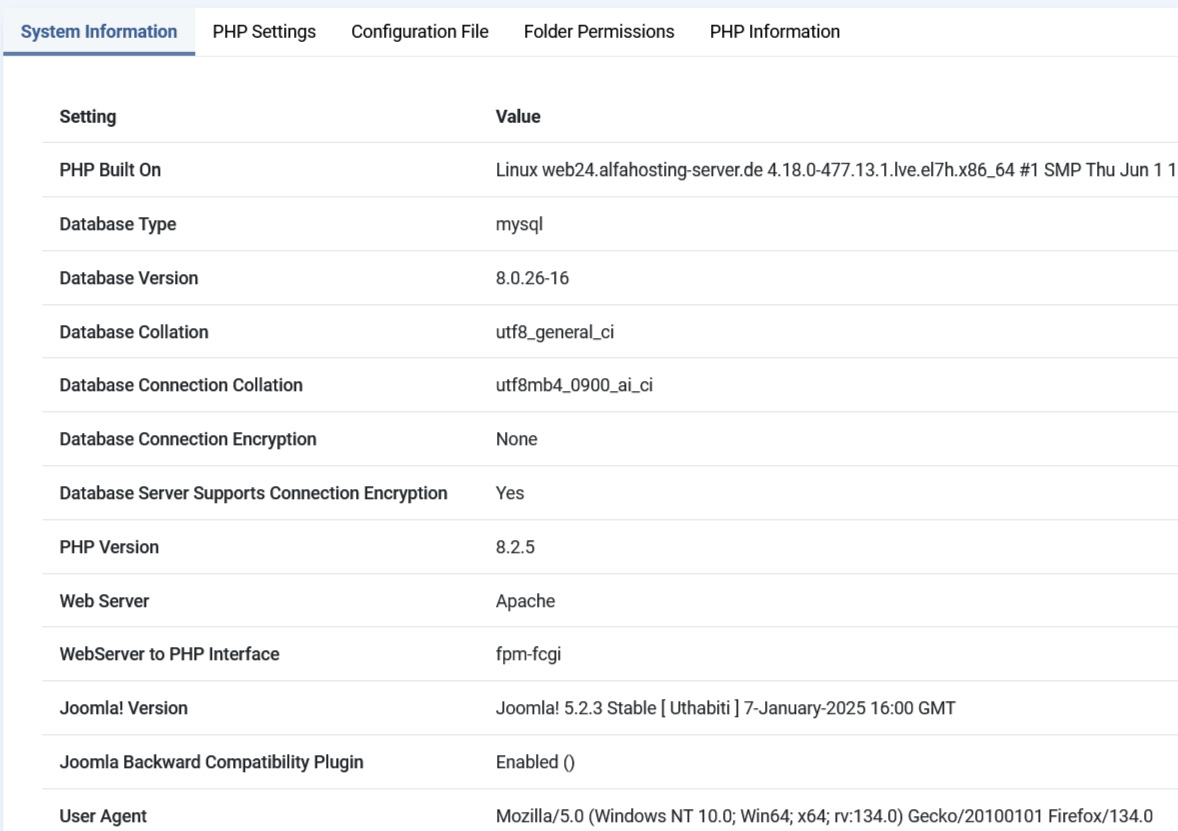
A screenshot of the most important system information:
To operate JoomGallery, at least PHP version 8.1.x is required. It is always advisable to choose the highest PHP version possible when running.
Can be found here: System > System Information
3. Increase the error display in Joomla!
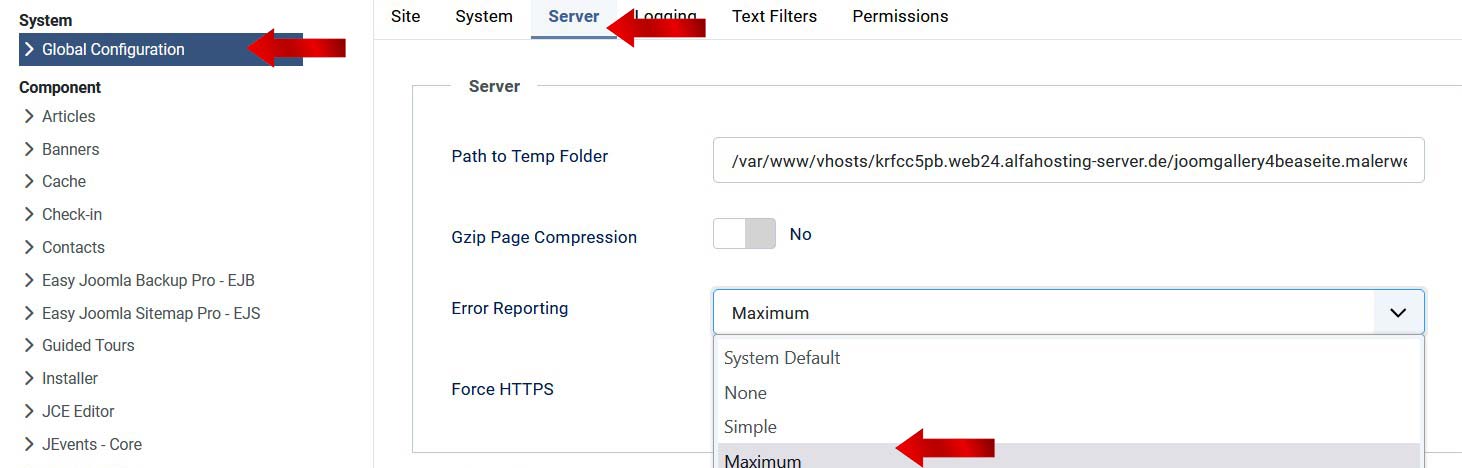
In the Joomla! configuration, set the error reporting to 'Maximum'. This is particularly useful for empty white pages. More detailed error messages are usually then displayed.
Can be found here: System > System Information Configuration >> Tab 'Server'
4. Check the browser's error console
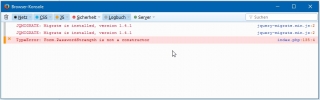
Any script errors that occur are displayed (usually in red) in the browser's error console. A wide variety of malfunctions can occur due to script errors. The way the browser console is activated varies depending on the browser used. Please google it!
5. Activate 'Debug' mode in Joomla
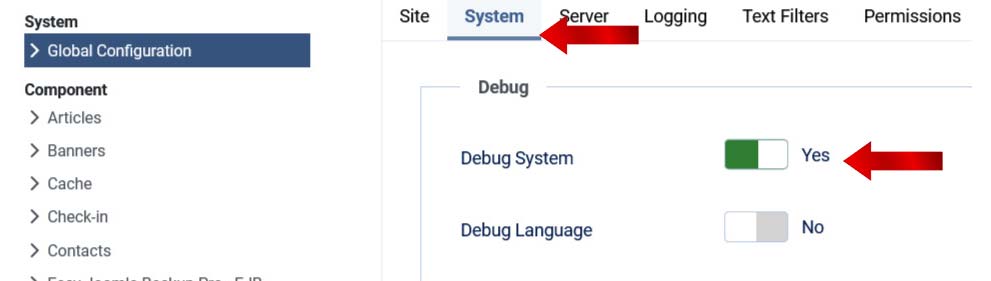
If the error message says nothing, it can be helpful to activate Joomla's 'Debug mode'. This will display information about the processes running in the background.
Can be found here: System > Configuration > System tab > Set "Debug system" to "YES".
Wherever the error occurs, there is now a more detailed message that you can post in the forum.