


The user user panel has several section which may be switched on or off in menu options
Otions in user panel menu definitions
- Display user limits: Display an area where actual count of images/categories are matched with config settings
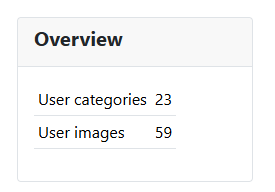
- Display user information: Display an area with actual count of images/categories. Only visible when user limits is off
- Display latest user categories: Display an area with latest user categories
- Number of latest categories: Number of latest user categories displayed in the list
- Display latest images: Display an area with latest user images
- Number of latest images: Number of latest user images displayed in the list
- Display user images as manageable: Display user images as manageable like in images view. List length defined by joomla standard length
Display latest user categories
This view part may not be shown as it can be switched of in the menu options
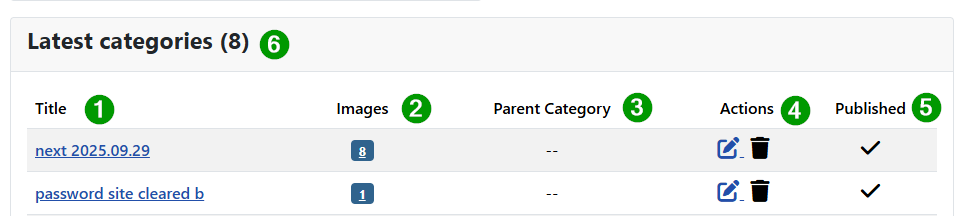
(1) Title:
Click on title to edit the category
(2) Images:
Shows number of images assigned to the category. Click on it to to view in the imageslist ony the images of this category (3) Parent category:
(4) Actions:
Edit or delete category (5) Published:
Publish or unpubish the category (6) Latest categories count: Tells how many lattest items are shown. the number is an option in the menu but may be smaller when not enough items exist
Display latest images
This view part may not be shown as it can be switched of in the menu options
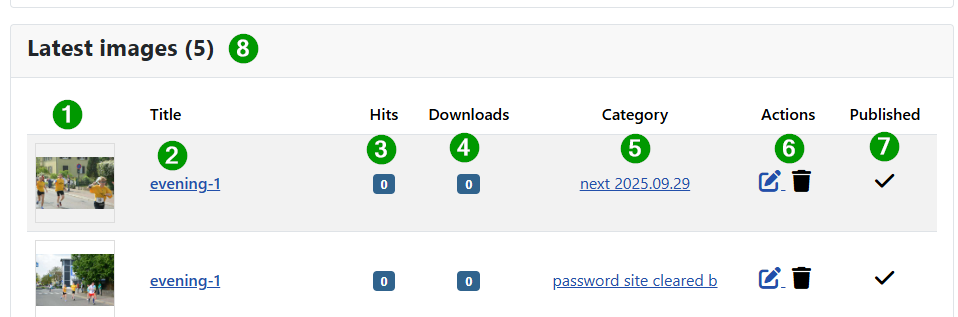
Buttons order changed !
(1) Thumb image of image
(2) Title of image
Click on title to edit the image
(3) Hits
(4) Downloads
(5) Category
(6) Actions
Edit or delete image
(7) Published
Publish or unpubish the category (8) Latest images count:
Tells how many lattest items are shown. the number is an option in the menu but may be smaller when not enough items exist
Display user images as manageable
This view part may not be shown as it can be switched of in the menu options
Images are managable in the sense that they can be reordered and filtered. Here less imges are shown but thr view part is otherwise similar to the user image view.
It is enable for quick fixes of latest images but we recommend to use the "user images" view instead.
The difference to "latest images" is twofold.
- Drag and drop can change the order of images
- The filter options above enable the appearance of selected images
It may be removed if we cant get it to work 2025.10.07
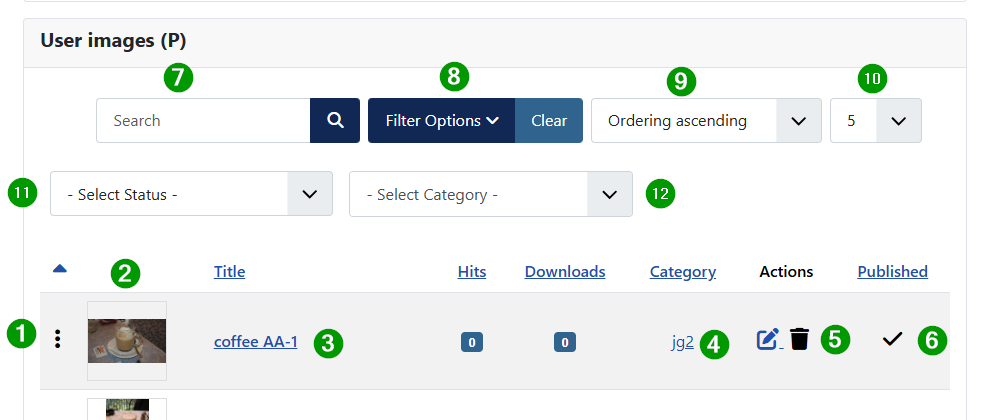
(1) Three vertical points
Click on points enable the ordering which may be hidden when usinf filtering (2) Thumb image of image
(3) Title of image
Click on title to edit the image
(4) Category
(5) Actions
Edit or delete image
(6) Published
Publish or unpubish the category
Following filter for the images are shown. The handling is as can be expected like in other joomla filtering.
(7) Search
(8) Filter Options
(9) Ordering images in view
(10) Count of shown images
Can be canged for mor or less items to be shown. First value is defined in joomla configuration list count. (11) Select Status
(12) Select Category
Display user limits
This view part may not be shown as it can be switched of in the menu options
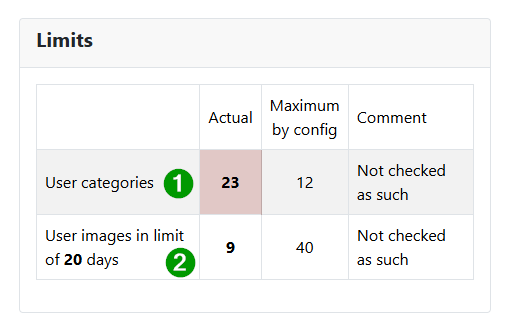
It tells about the number of images and categories belonging to the logged-in user.
Buttons order changed !
The values in column actual are calculated from the database. The maximum values are defined in JoomGallery configuration.
As the comment indicates the limits are not enforced but this may change in the future.
Display user overview
This view part may not be shown as it can be switched of in the menu options
It provides information about the number of images and categories belonging to the logged-in user.
 Buttons order changed !
Forward links

The button name indicates where the link on the button leads